NZ-NI-0201 · source record 6 October 2026
Solana casino payments: match the signature to the cashier record
A fast confirmation is useful only when the asset, network, destination and player ledger all match. Build one evidence trail from the cashier request to the final SOL balance.
Supplier sources below. Operator eligibility needs a separate check.
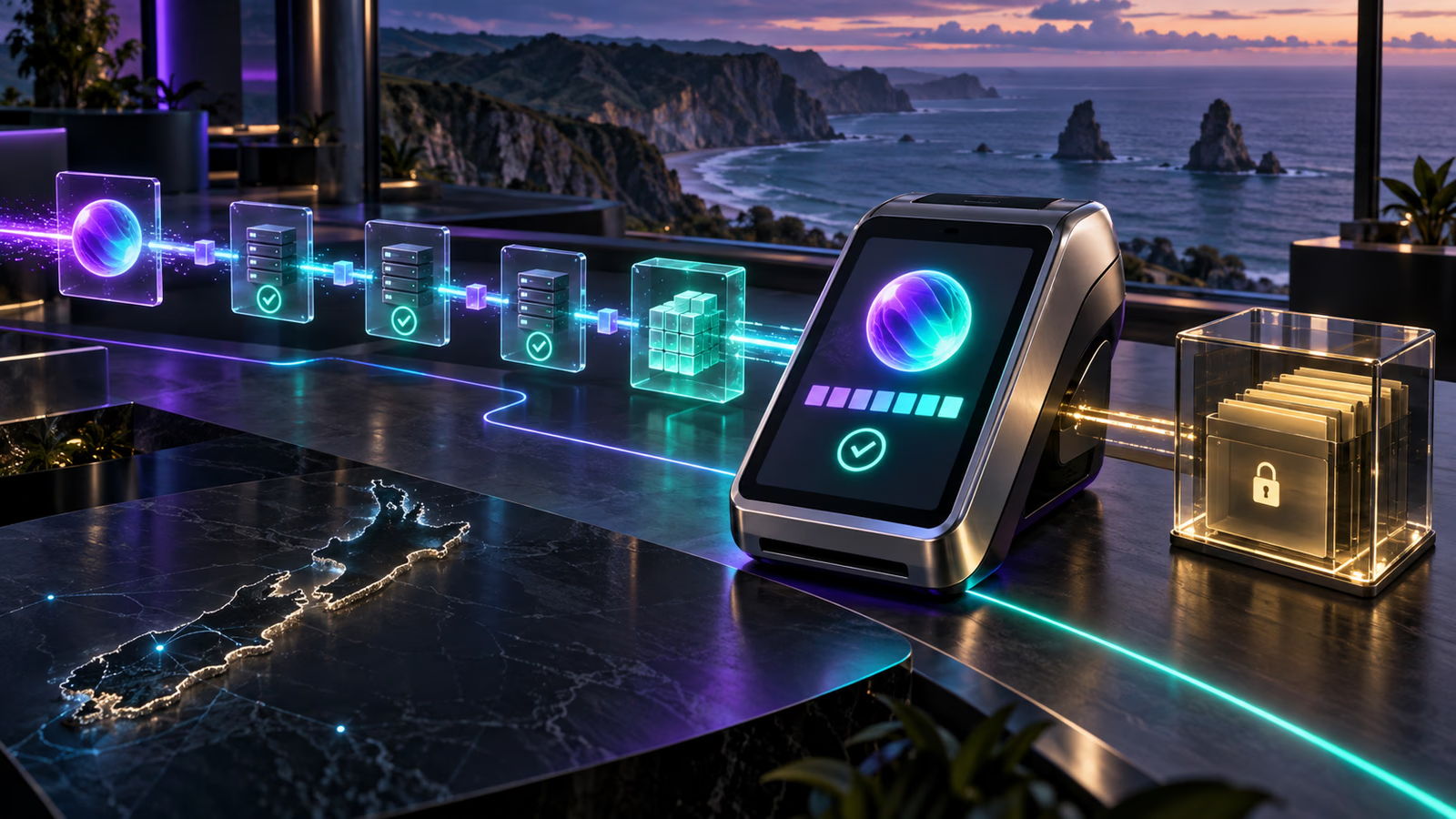
Solana’s documentation defines a transaction as one or more instructions, the signatures that authorise account changes and a recent blockhash. The network executes the instructions atomically: they all succeed or the state changes revert, although a failed transaction can still incur a fee.
That technical model is only one part of a SOL casino deposit or withdrawal in New Zealand. A casino also maintains a private account ledger. A successful network transaction does not by itself prove that the operator credited the correct player, accepted the asset or supports New Zealand customers.
Capture the cashier instruction before sending
Save the authenticated casino domain, player account reference, asset, network, complete destination address, requested amount, stated minimum and any expiry time. The cashier should identify native SOL on Solana. A multicolour token icon is not a sufficient network instruction.
Compare the first and last characters of the address after pasting, then inspect the full value when the wallet offers a confirmation screen. Do not copy an address from an advertisement, direct message or old transaction. Deposit routes can change.
A similarly named token on another chain is not interchangeable with native SOL. If the cashier lists a token contract, memo, reference or destination type that the wallet does not clearly support, stop and ask authenticated support before creating a transaction.
Read the transaction as a complete instruction set
Solana transactions can contain multiple instructions. The official documentation says all instructions are processed together; if one fails, the state changes are reverted. Review the wallet simulation or confirmation summary for every instruction rather than approving solely because the first line resembles a transfer.
Check the requested signer accounts and the destination. A normal payment should not require disclosure of a recovery phrase or private key. Those secrets authorise control of the wallet and must never be sent to casino support, a transaction investigator or a supposed recovery service.
The documentation lists Ed25519 signatures and a recent blockhash as parts of a transaction. A signature is the public reference normally used to inspect the transaction after broadcast. Preserve it beside the cashier request.
Recent blockhash and expired requests
Solana documentation states that a recent blockhash has a limited validity window of 150 slots. If a transaction is not processed before that window expires, the wallet or application may need to construct and sign a new transaction.
Do not treat an expired transaction and a later successful transaction as one event. Save each signature and status. Before retrying, check the account balance and explorer so that a delayed success is not accidentally followed by a duplicate payment.
Likewise, a cashier invoice can expire under the operator’s own rules. Network validity and cashier validity are separate. A transaction can be technically valid yet arrive after the operator’s quoted address or rate has expired.
Fees and failed transactions
The official page lists a base fee per signature of 5,000 lamports, but that is not a promise of the final fee shown by every wallet or service. Priority fees, application charges and exchange withdrawal fees can be separate. Record the amount requested, the fee quoted by the sending service and the amount delivered.
Solana notes that fees can still be charged when a transaction fails. A failed status therefore requires two checks: confirm that the intended transfer did not settle, and account for the fee before considering a retry.
Do not infer a casino minimum from the network fee. The operator can apply its own deposit minimum to the amount that arrives. If a service deducts its fee from the withdrawal amount, the received output may fall below that threshold.
Confirming a deposit
Use a recognised Solana explorer or wallet history to check the signature, status, destination, transferred amount and fee. Then compare those fields with the casino ledger. A successful explorer result proves network execution; it does not explain an internal pending, rejected or converted balance.
If the deposit is missing, provide authenticated support with the public signature, destination, amount, time and account reference. Redact unrelated balances and addresses from screenshots. Never supply a seed phrase, private key, password or one-time code.
If the transaction failed, save the error shown by the explorer or wallet. Avoid translating a technical error into a definite cause unless the source explains it. Account locks, unsupported assets and expired cashier instructions belong to the operator layer, not the Solana protocol layer.
Tracking a withdrawal
A withdrawal usually begins as an operator request. Identity checks, account review, limits and approval can occur before any Solana transaction exists. “Pending” with no signature is therefore not a network confirmation state.
Once a signature appears, verify the receiving address, amount and transaction result. Use a current address from a wallet or exchange that explicitly accepts native SOL. If a platform requires a separate reference or has suspended deposits, do not send until its current instructions are clear.
Record the requested amount, approved amount, deductions, signature and final wallet credit. This separates operator processing time from network settlement time and makes a support case easier to audit.
Conversion and account currency
A casino can receive SOL and display a fiat-denominated balance, maintain a crypto balance or convert again at withdrawal. None of those models is defined by Solana’s transaction documentation. The operator must disclose its own method.
Capture the quoted rate, timestamp, credited currency and rounding. Do not assume that an NZD display means the underlying payment stayed in NZD or that later SOL price movement changes a completed conversion.
New Zealand scope
The Solana source explains transaction mechanics, not casino legality, local availability or consumer protection. Before using a cashier, identify the operator, confirm that the account is permitted from New Zealand and read the current payment and withdrawal terms.
Compare the Bitcoin, Ethereum, Litecoin and Dogecoin guides as separate network workflows. Never reuse an address or assumption across chains.
Anatomy of a Solana payment record
A useful SOL payment file contains four linked records. The first is the casino cashier request: domain, player reference, native asset, network, destination, amount, minimum and any expiry. The second is the wallet approval: fee quote, signer, instructions and expected balance change. The third is the public transaction identified by its signature. The fourth is the operator ledger entry that credits or debits the player account.
No single record replaces the other three. A successful signature proves that the network processed the complete instruction set, but it does not identify which private casino account should be credited. A casino receipt can show a balance entry, but without the signature it cannot independently establish what moved on-chain. Keep the records under one case identifier.
Solana’s transaction documentation describes a message containing account addresses, a recent blockhash and compiled instructions. Signatures authorise the message. When inspecting a wallet prompt, confirm that the expected transfer is present and that unfamiliar instructions are not hidden behind a generic “approve” label.
Native SOL and token accounts are different routes
Native SOL is the network’s own asset. Tokens issued on Solana use token programmes and token accounts even though the wallet may display them in the same portfolio. A cashier that requests SOL should not receive a stablecoin or a wrapped asset merely because both appear under a Solana heading.
Match asset symbol, asset name and network wording. If the cashier provides a token mint address, that is evidence the route is not a plain native-SOL transfer and requires token-specific verification. Do not infer the token contract from a logo or search result.
The destination displayed by the casino may be an account controlled by a payment processor. That is not inherently a problem, but the authenticated cashier must associate it with the logged-in player. Copy it from the current request and retain a screenshot with sensitive unrelated data removed.
Some receiving services can require an additional reference for internal allocation even when the underlying transfer reaches a public Solana address. Follow the exact live instruction. The absence of a memo in one wallet transfer does not prove that every custodial platform uses the same allocation method.
Inspecting instructions before signing
A Solana transaction can bundle more than one instruction and executes atomically. Read the wallet’s simulation or expanded details. Identify the fee payer, signer accounts, programme interactions, asset movement and destination. A straightforward native-SOL payment should be understandable without granting unrelated permissions.
If a connected-site transaction asks to interact with a programme instead of making a simple transfer, stop and determine why. A casino cashier might use a processor or deposit contract, but that must be documented by the authenticated service. Do not approve an opaque instruction simply because the page displays a familiar casino logo.
Atomic execution means the intended state changes either complete together or revert together. It does not mean a failed transaction is free. The base and priority fees can still be charged, so the post-failure wallet balance may be lower even though the intended SOL transfer did not settle.
Keep the simulation result where the wallet provides it. It records what the wallet expected immediately before signing and can help distinguish a changed instruction from a later ledger problem.
Signature, status and commitment
The transaction signature is the public lookup key for a broadcast payment. Copy it as text and open it through an independently reached explorer. Check success or failure, slot, timestamp, fee, involved accounts and balance changes.
Wallets and explorers can display different commitment labels while a transaction progresses through the network. Do not translate those labels into a casino credit promise. The operator chooses its own acceptance threshold and can wait for a stronger state before posting the private ledger entry.
A wallet notification saying “sent” is not enough when no signature is available. The wallet or custodial exchange may still be preparing the transaction. Conversely, a successful explorer result with a pending casino balance directs the investigation towards account mapping, minimums, conversion or operator review.
When sharing the signature with support, also include the destination and amount. A signature can contain several instructions, and the support team needs the specific transfer being reconciled.
Blockhash expiry and safe retries
The recent blockhash protects the network from processing an indefinitely old transaction. Solana’s documentation describes a validity window based on the most recent 150 blockhashes. If the transaction is not processed in time, the application constructs a new message with a fresh blockhash and obtains new signatures.
Before retrying, search for the original signature and compare the wallet balance. A slow interface can report expiry even when another submitted attempt succeeded. A second payment made without checking can create a duplicate that the casino treats as a separate deposit.
Store each attempt independently: attempt number, creation time, blockhash if exposed, signature, status, fee and transfer result. Never overwrite the first signature with the retry. Failed attempts matter because they can consume fees.
Cashier invoices have their own lifetime. Refreshing the transaction blockhash does not extend an expired casino quote or reactivate an old deposit address. If the cashier request has expired, obtain a new instruction and compare the destination before signing again.
Fee layers in a SOL transfer
The official documentation gives a base fee of 5,000 lamports per signature. Treat that as a protocol component, not a universal final price. A transaction can include multiple signatures and may include a priority fee. A self-custody wallet should show the current estimate before approval.
A custodial exchange may charge a fixed withdrawal fee or incorporate costs into its service pricing. A casino or processor may apply a deposit, withdrawal or conversion charge under its own terms. These commercial layers are not set by the Solana protocol.
Use separate fields for entered amount, sender charge, network fee, delivered SOL, casino charge and credited balance. This reveals whether a shortfall occurred before broadcast, on-chain, or during private-ledger conversion.
Do not assume low network fees make an under-minimum transfer economical to recover. The operator may not aggregate small deposits and could require manual review. Confirm its policy before sending another amount.
Deposit sequence from cashier to credit
Open the cashier from the logged-in navigation, not from a message link. Confirm native SOL and Solana, copy the current address, note the minimum and expiry, and record whether the casino promises a crypto balance or conversion into another currency.
In the wallet, choose native SOL and paste the address. Compare the full destination, amount and total fee. Review all transaction instructions, then sign. Save the signature immediately after broadcast.
Inspect the signature and locate the exact balance change for the destination. Then open casino history and match the credit time, incoming amount and conversion. If the ledger uses NZD or another display currency, preserve the quoted rate and timestamp.
Do not judge success from the main account balance alone. Existing bets, bonuses or other transactions can change that number. The deposit-history row tied to the payment is the appropriate reconciliation record.
Missing-deposit decision tree
First ask whether a signature exists. If not, the sending wallet or exchange must explain the queued or rejected withdrawal. If a signature exists but failed, inspect the error and account for the fee before creating a replacement transaction.
If the signature succeeded, verify native SOL, destination and delivered amount. Compare the amount with the cashier minimum and the time with the invoice validity. Then check whether the operator displays pending, converted or manual-review states.
If all fields match, contact authenticated casino support with the signature, destination, amount, time and player reference. A redacted screenshot can show the cashier instruction, but the text values should also be supplied to avoid transcription errors.
Never provide a seed phrase, private key, password, browser recovery code or one-time authentication code. Public transaction evidence is sufficient to trace an on-chain transfer.
Withdrawal stages and destination checks
A casino withdrawal begins on the private ledger. The operator may review identity, account activity, limits and the destination before broadcast. Until a signature exists, an explorer has nothing to confirm. Record status changes and requests separately from network time.
Generate or copy a current native-SOL receiving address from a wallet or exchange that explicitly supports deposits. Confirm whether it requires any reference and whether SOL deposits are operational. Do not reuse an old address without checking the service’s current deposit page.
Paste the address into the casino form and compare it in full at the final confirmation. Record gross request, stated deduction and expected net transfer. After broadcast, inspect the signature and match the receiving account’s balance change.
An allowlist delay, identity review or operator approval is not Solana congestion. A successful signature that has not appeared at the receiving exchange is no longer a casino approval problem; reconcile the destination and contact the receiving service with the public evidence.
Conversions and price timestamps
The network transfers quantities of SOL. A casino can convert that amount into NZD, USD or an internal unit at deposit, keep it denominated in SOL, or convert during withdrawal. The operator must explain which model it uses.
Record the SOL amount delivered, reference price, spread or fee, timestamp and ledger amount. Compare like timestamps when checking a rate because SOL market prices can move while a transaction waits for casino credit.
If the account displays a rounded fiat value, ask whether the underlying ledger stores more precision. A small display difference is not enough to prove a missing network amount. Reconcile the operator’s documented conversion calculation.
Do not describe a displayed fiat balance as blockchain-held NZD. Once conversion occurs, the casino’s private ledger governs the account balance until another withdrawal is broadcast.
Multi-instruction and batch-payment complications
A single Solana transaction can contain multiple instructions. A withdrawal processor may batch several operations, and token transfers can produce supporting account activity. Focus on the balance changes and destination relevant to the player’s payment rather than the headline transaction total.
For a deposit, an unexpected additional programme instruction deserves explanation before signing. For a withdrawal, a processor-created batch can be legitimate, but the operator should still provide the signature and expected destination amount.
Support screenshots often hide the expanded instruction list. Use the explorer’s structured view to identify successful and failed instructions. If one instruction failure reverts the transaction, no intended state change should be treated as completed merely because the signature is searchable.
A reusable SOL evidence table
Create a cashier row with request time, domain, player reference, asset, network, address, minimum, quote and expiry. Add a wallet row with signer, amount, instruction summary, base fee, priority fee and signature. Add a network row with status, slot, destination balance change and timestamp. Add a ledger row with credit, display currency, conversion and case number.
For withdrawals, include review status, approval time, gross debit, net broadcast, receiving address and final wallet credit. Keep failed attempts as separate rows with their fees and errors.
This table is intentionally transaction-specific. It does not attempt to rank casinos or claim that SOL is available throughout New Zealand. It gives support enough public evidence to locate a mismatch without exposing wallet secrets.
What the primary source proves
Solana documentation proves how transactions, signatures, instructions, blockhashes and fees work at protocol level. It does not prove that an operator accepts New Zealand residents, that a cashier supports native SOL, that deposits are credited at a particular confirmation state, or that withdrawals have a fixed processing time.
Use the live cashier for route details, operator terms for eligibility and processing, wallet documentation for signing behaviour, and an explorer for the public result. A strong guide keeps these sources distinct instead of using network speed as a substitute for operator due diligence.
Frequently asked questions
Is SOL confirmed at New Zealand casinos?
No general availability claim is made. Check the exact operator, account and authenticated cashier.
What proves a Solana transfer?
The public signature and explorer status evidence network execution. The casino ledger is needed to prove account credit.
Can a failed transaction still cost a fee?
Yes. Solana’s documentation states that fees are still charged when execution fails.
Why can a transaction expire?
The recent blockhash has a limited validity window. A fresh transaction may be required after expiry.
Should I retry immediately when a wallet stalls?
No. Check the balance and explorer first, preserve the original signature and avoid an accidental duplicate.
What should never be sent to support?
Never disclose a seed phrase, private key, password or one-time authentication code.
Official source
Bottom line: verify native SOL, inspect the complete instruction set and reconcile the public signature with the operator’s private ledger.
Primary source and correction path
This guide separates documented product information from market availability. Check the official source and the game help inside the exact version offered before making a decision.