NZ-NI-0276 · source record 6 October 2026
Self-custody casino payments: sign locally and share only public evidence
A legitimate payment needs an address, network and signature—not your seed phrase or private key. Keep secrets inside the wallet and preserve the public receipt.
Supplier sources below. Operator eligibility needs a separate check.
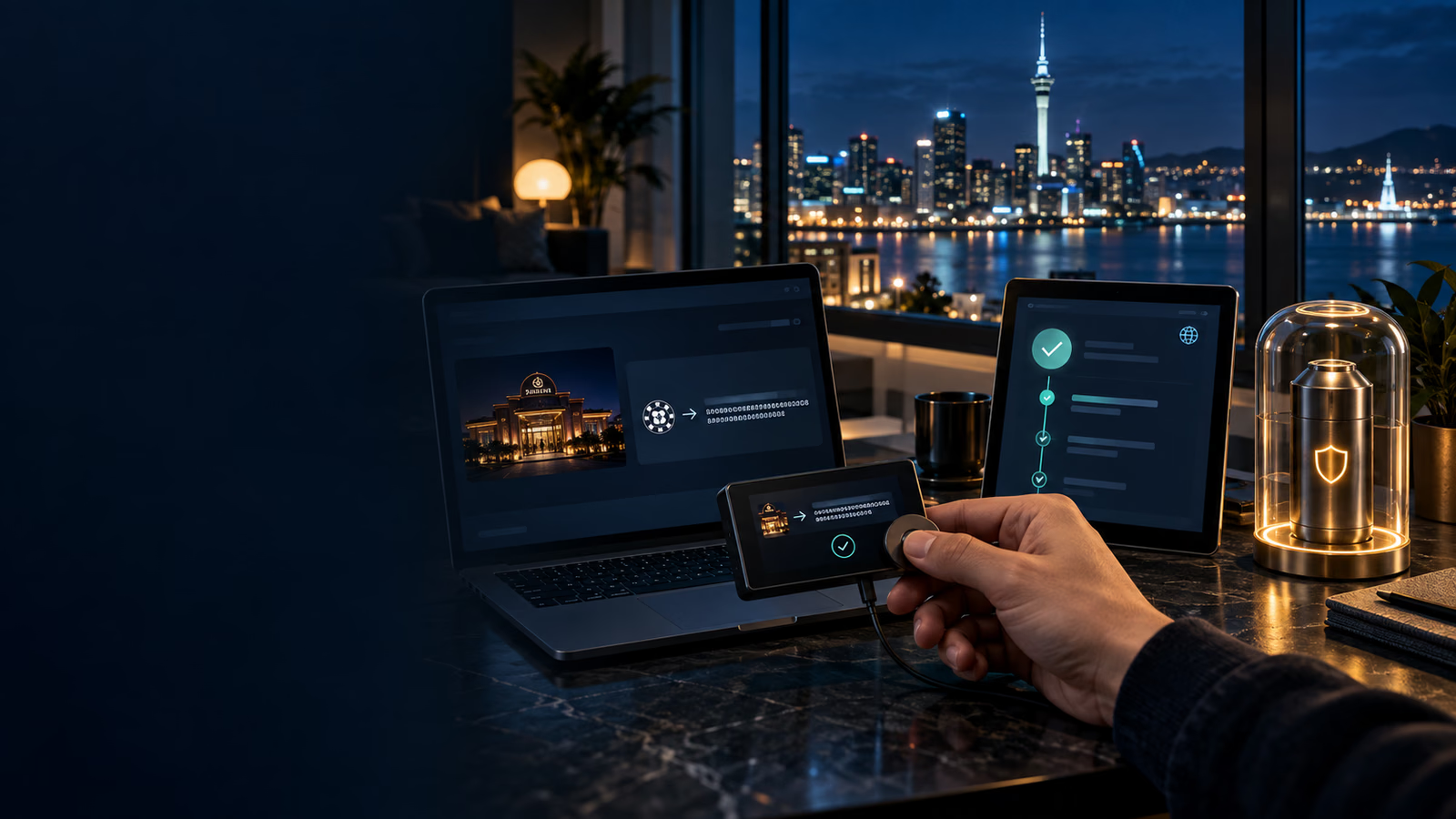
A self-custody wallet casino transfer gives the wallet holder direct control of the signing keys. That control removes a custodial approval step, but it also makes address, network, fee and backup mistakes the user’s responsibility. The payment can be verified through public transaction data without revealing the secret material that authorises future transfers.
New Zealand’s Own Your Online guidance explains that a wallet uses public and private keys, that the private key enables transfers and that it must never be shared. It recommends two-factor authentication where available, offline backups, encryption, reputable software and caution around fake applications and phishing.
The source does not confirm that any casino accepts New Zealand users or supports self-custody deposits. Eligibility and payment instructions must come from the selected operator.
Understand what self-custody changes
With self-custody, the wallet holder—not an exchange—decides whether to sign and broadcast. There is no custodial support desk that can cancel an approved withdrawal before it leaves an internal queue. Once a valid transaction is included on the network, correcting a wrong destination can depend entirely on the recipient’s cooperation.
The benefit is that the public transaction can be inspected independently and the signing secret can remain on the user’s device. The responsibility is that the user must validate the request, fee and network before authorisation. A polished casino page or wallet prompt does not transfer that responsibility to the interface.
Separate three identities: the wallet application, the blockchain destination and the casino account. Verify the wallet through its developer channel, the destination through the authenticated cashier and the account credit through the casino ledger. One matching logo across the screens is not enough.
Create a clean transaction workspace
Close unsolicited chats, screen-sharing tools and unrelated browser tabs before preparing the payment. Open the wallet and casino cashier independently from known routes. A message claiming to be support should not supply either the wallet download or the deposit address.
Check the device clock, network connection and wallet update state. If an update prompt appears unexpectedly during payment, stop and verify it through the developer’s official channel. Do not install software while under pressure from a countdown or “account verification” message.
For a hardware wallet, compare the destination and amount on the physical device, not only in the computer or phone interface. The hardware display is the final signing surface. Reject the transaction if it differs from the authenticated cashier request.
Create a short written record before signing: asset, network, address, memo, exact amount, fee model, request time and account identifier. This record gives the final confirmation screen something concrete to match.
Prepare the wallet before payment
Install wallet software only from the developer’s verified channel. Check the publisher, domain and update history rather than following an advertisement or unsolicited support link. Fake applications can imitate a normal login while stealing credentials.
Protect the device with encryption, current security updates and a strong unique passphrase. If the wallet offers 2FA for its account or companion service, enable it. Test the recovery backup before holding a material balance, then store it offline away from the everyday device.
Never photograph or paste a seed phrase into a website. A hardware wallet or mobile wallet should sign the transaction locally. The receiving service needs the signed transaction—not the secret that created it.
Generate and compare the destination
Open the casino cashier through a trusted bookmark and create a fresh deposit request. Record the selected asset, blockchain network, full address, memo or tag, minimum, timestamp and any expiry warning.
Compare the text address with the destination shown by the signing device. Check more than the first and last characters. Clipboard malware can replace an address while preserving a convincing shape. If the wallet and cashier show different networks or formats, stop rather than attempting a test transaction.
For assets available on several chains, the token name alone is insufficient. The sending network must be supported by the receiving address. A valid signature cannot repair an incompatible route.
Validate token contracts and chain context
For a token rather than a native network asset, confirm the token contract where the wallet and cashier expose it. Identical tickers can refer to unrelated assets. A wallet balance labelled with the expected symbol does not prove that the receiving platform supports that contract.
Check the network’s native fee asset separately. A token wallet can show enough token value while lacking the native coin required to broadcast. Do not approve an unexpected swap or bridge merely to obtain fees unless the workflow is independently understood and supported.
Avoid bridging as part of a casino deposit unless the operator’s current instruction explicitly describes that route. A bridge introduces another contract, destination and settlement stage. The final casino address may only recognise transfers on one supported chain.
If a memo or destination tag is required, treat it as part of the address. Put it in the wallet’s structured memo field, not a free-text note. When no matching field exists, stop and contact authenticated support.
Defend against clipboard and address-poisoning attacks
Malware can replace copied text, and address-poisoning transactions can place a look-alike destination in wallet history. Never select a casino address from a recent-recipient list merely because its first and last characters look familiar.
Copy from the fresh authenticated cashier, then compare the complete address on the signing screen. Where practical, verify it through a second independent display, such as the hardware wallet screen. A QR code reduces typing but can still encode a malicious or stale address; decode and inspect it.
Do not use an address sent by a support agent in chat as a correction. Legitimate support can explain where to find the account’s current deposit instruction, but the authenticated cashier should remain the source of the destination.
Review the transaction before signing
The final signing screen should show destination, native-asset amount and network fee. Confirm whether the fee is added to the amount or deducted from the intended transfer. Leave enough balance for the fee and keep the credited amount above any verified recipient minimum.
Do not rely only on an NZD estimate. Exchange rates can change between preparation and confirmation. Save both the exact crypto value and the timestamped fiat estimate when it helps with budgeting.
Use a small transfer only when the operator explicitly says deposits can be combined and the test remains above minimum. A test payment proves that one route credited; it does not guarantee future addresses or networks remain unchanged.
Amount, fee and minimum reconciliation
Write down three amounts: the wallet debit, the on-chain destination output and the casino credit. They may differ for documented reasons, but each difference needs a label. The network fee should not be mistaken for a casino charge, and a later conversion spread should not be called a blockchain fee.
Some wallets add the network fee to the requested transfer; others deduct it from the available balance while preserving the recipient amount. Read the final screen. If the recipient output would fall below the verified casino minimum, reduce nothing automatically—cancel and rebuild the transaction with enough balance.
Use native crypto units for the transaction record. An NZD estimate helps with personal budgeting but can move before confirmation. Store the exchange-rate timestamp if the casino credits a fiat-denominated account, then compare the operator’s disclosed conversion method with the ledger result.
Do not raise the amount to compensate for uncertainty. If the cashier does not clearly state minimums, conversion and fee treatment, obtain those rules before sending.
Testing without creating a false sense of safety
A test transaction can confirm one current route when it is permitted and above the recipient minimum. Wait until it appears in the casino ledger—not merely the block explorer—before considering a larger transfer.
Generate a fresh instruction for the second payment. The address may rotate, the network may be paused or the token contract may change. Reusing the test destination without checking removes the value of the test.
The successful test does not prove operator legitimacy, future withdrawals or New Zealand eligibility. It only proves that one transaction was credited to one account at one time.
What can safely be shared
Public evidence normally includes the transaction hash, sending and receiving public addresses, amount, network, block time and confirmation count. A support case can also include the cashier request ID and a redacted screenshot.
Never share:
- seed or recovery phrase;
- private key;
- wallet password or PIN;
- one-time authentication code;
- remote-access session;
- backup file or unredacted keystore.
Own Your Online warns that anyone with the private key can transfer the wallet’s funds. A real support agent does not need it to locate a public transaction.
Signing permissions and smart-contract prompts
A simple native-asset transfer normally asks for destination, amount and fee. Token workflows may also involve contract interaction. Read the method and spending permission before signing. An unlimited token approval is materially different from a one-time transfer.
If the cashier unexpectedly asks the wallet to connect, sign a message or approve a contract instead of displaying an ordinary deposit address, stop and find the operator’s official documentation. Do not assume every wallet prompt is a payment. Message signatures can prove control, while approvals can authorise later spending; neither should be accepted without understanding its scope.
Revoke unnecessary permissions through a verified wallet tool after the purpose ends, but do not rely on an unsolicited “approval checker.” Keep transaction hashes for approvals and transfers so each on-chain action can be distinguished.
Watch-only verification
A watch-only wallet or explorer can monitor a public address without importing private keys. Use public tools to inspect the destination output and confirmation state. Never type a seed phrase into an explorer to “find” a transaction.
Confirm the explorer matches the selected network. The same hexadecimal-looking address can appear on several compatible chains while the transaction exists on only one. Save the explorer URL, block number and confirmation count with the TXID.
Public visibility does not mean every detail should be posted publicly. Share the minimum evidence through the operator’s authenticated support channel and redact unrelated balances or addresses from screenshots.
Confirm broadcast and receipt separately
After signing, capture the wallet’s transaction ID. Use a block explorer for the selected network to confirm that the transaction was broadcast and to monitor confirmations. Then check whether the casino credited the correct account balance.
These are different states. “Signed” means the wallet authorised the transaction. “Broadcast” means the network has seen it. “Confirmed” reflects blockchain inclusion. “Credited” is the recipient’s internal accounting decision.
If the transaction remains pending, do not send a duplicate. If it confirms but is not credited, contact authenticated support with the TXID, network, address, amount, timestamp and cashier request. Keep the conversation and case number.
Diagnose the stage that failed
If the wallet shows created but there is no transaction hash, the transfer may not have been broadcast. If a hash exists but the explorer cannot find it on the selected network, check that the correct explorer and chain are being used. If the explorer shows pending, wait for network settlement rather than resending.
When the explorer confirms the correct output but the casino ledger remains empty, the unresolved stage is recipient detection or account mapping. Give support the fresh cashier request and public transaction details. If the address or memo differs, state the mismatch honestly; disguising it prevents accurate recovery assessment.
If the casino credits a different amount, compare the on-chain output, documented minimum, conversion rule and ledger currency. Ask for a calculation rather than assuming theft or network loss. Preserve every response with its timestamp.
Build a receipt that another person can audit
The receipt should contain the wallet transaction hash, network, sending public address, destination, memo, asset contract where relevant, recipient amount, network fee, broadcast time and confirmation state. Add the casino request ID and internal credit record as separate fields.
Mark which fields came from the wallet, explorer and casino. This provenance prevents an internal casino reference from being mistaken for a blockchain hash. It also lets support locate the correct stage quickly.
Store the receipt securely with redacted screenshots. The receipt is evidence, not a recovery credential. Anyone reviewing it should be able to confirm movement without gaining authority to move future funds.
Backups and incident response
Own Your Online recommends offline backups and testing that they can be restored. Keep backup locations protected from theft, fire and accidental disposal. Do not store an unencrypted seed phrase in cloud notes, email or chat.
If a seed phrase or private key may have been exposed, stop using the wallet. From a clean device, create a new wallet through verified software and move remaining assets when safe. Report suspected scams through official New Zealand channels. Ignore recovery services demanding another crypto payment or secret phrase.
Recovery planning before a payment is needed
Test the wallet’s backup procedure with a small balance or an authorised recovery check before relying on it. Confirm that the words, order and any additional passphrase restore the intended public addresses. A backup that has never been tested can fail when the original device is lost.
Keep the recovery material offline in a location protected from unauthorised access and physical damage. Do not store the seed in the same bag as the hardware wallet or in an unencrypted cloud document. Consider how a trusted person could follow an estate plan without publishing the secret prematurely.
The casino account and wallet require separate recovery procedures. Restoring a wallet does not restore access to the operator account, and account support cannot recreate a lost private key.
Scam patterns during payment support
Be suspicious of messages that create urgency, promise to reverse an irreversible transaction, request a “synchronisation” signature or demand a fee before releasing funds. A public TXID can be investigated without importing a wallet into a website.
Verify support by navigating from the operator’s authenticated account. Do not trust a phone number or social handle supplied in a search advertisement. If a caller asks to install remote-control software, end the session.
Fraudsters may quote real public transaction details to appear legitimate. Knowing the address and amount does not prove they represent the wallet provider or casino; those facts are visible on the blockchain.
New Zealand scope and responsible use
The cited guidance addresses wallet and scam security, not casino legality, territorial access, bonus rules or operator reliability. Verify those points independently before creating a payment request.
Self-custody also does not remove the need for spending boundaries. Convert the planned amount to NZD before the transfer, include network and conversion costs, and decide the maximum loss independently of asset price movement. Do not move additional crypto to chase a casino loss or to “unlock” a pending withdrawal.
If an operator asks for another deposit to release existing funds, stop and verify the request through official terms and support. A legitimate transaction review should be explainable without surrendering wallet secrets or repeatedly increasing exposure.
Final pre-sign checklist
Confirm that the casino account is eligible and the deposit method is currently enabled. Verify asset, network, contract, full address, memo, amount, minimum and expiry against a fresh request. Compare the same fields on the trusted signing device.
Read the fee and recipient output, reject unexpected approvals, and save the unsigned request record. After signing, capture the TXID and follow it on the correct explorer. Finally, wait for the separate casino credit and reconcile all three amounts.
If any item is unclear, cancel before broadcast. A delayed payment can be retried after verification; an irreversible misroute may not be recoverable.
Frequently asked questions
Does a casino need my seed phrase? No. A receiving service needs only the payment and public transaction evidence.
Can support verify a transfer using a TXID? Usually the TXID, network, address and amount identify the public transaction.
Should I sign from a link sent in chat? No. Open the verified wallet and cashier independently.
Is a confirmed transaction automatically credited? No. Network confirmation and internal account credit are separate.
Does the source confirm New Zealand casino availability? No.
Official source
Bottom line: validate the destination, sign on the trusted device and retain only the public receipt needed to prove the transfer.
Primary source and correction path
This guide separates documented product information from market availability. Check the official source and the game help inside the exact version offered before making a decision.